Rings
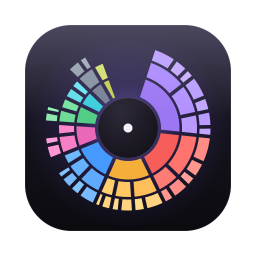
Your disk as a sunburst. The inner ring is each category, and every ring outward goes one folder deeper. Big arcs are big problems.
Blocks
The same scan as a treemap, every folder a tile sized by what it uses on disk. Better for comparing many things side by side.
Moved “Docker.raw” to the Trash Undo
Clear space safely
Move anything to the Trash from the map, the list or the right-click menu. It goes to the real macOS Trash, and Undo puts it right back.
Fills in while it scans
Rings grow live as files are counted, so you start seeing the answer within seconds instead of waiting on a progress bar.
Fast on every core
One scanner per CPU core. In testing Lumen read 5.3 million files in under two and a half minutes.
Matches Finder
Sizes are real space on disk, with hard links counted once, so the numbers agree with Get Info.
Cloud folders, your call
iCloud Drive, Dropbox, Google Drive and OneDrive are skipped by default. Turn them on in Settings to count the files kept on your Mac. Online-only files are never downloaded.
Largest items, instantly
The inspector lists the biggest files under wherever you are, with Reveal in Finder, Copy Path and Open one click away.
Every drive
Your startup disk, external drives, network shares and Time Machine backups all appear under Locations.
Any folder
Drop a folder on Lumen, or on its Dock icon, to scan just that.
Collector
Gather files from all over the map, then move them to the Trash in one go. One Undo brings them all back.
Hidden and purgeable space
Purgeable space, local snapshots included, gets its own slice apart from System Data, and the free-space figure shows how much macOS can reclaim. Now you can see why Finder and your disk disagree.
Scan as administrator
Some folders stay locked even with Full Disk Access. Enter your admin password and Lumen measures them too, read-only, so nothing is left as a mystery.
Quick Look
Press Space to preview any file before you decide to bin it.
Speaks your language
Lumen speaks English, French, German, Spanish and Japanese, and follows your Mac’s language.
Private by design
No account and no tracking. Your file list never leaves your Mac.
Native and light
Built in Swift for macOS. It opens instantly, follows the system, and feels like it belongs there.
This Mac
Battery health, Trash size and memory pressure, in the same sidebar as your disks.